SchoolMessenger
The Calgary Board of Education’s official communication tool, designed to keep families informed and connected with their school community. Through SchoolMessenger, parents and legal guardians receive important updates about school events, closures, and other key information by phone, email, or text message. All messages are sent securely using the contact information you have provided to your school.
All parents/legal guardians automatically receive general and emergency messages by phone or email as long as valid contact information is on file at their school.
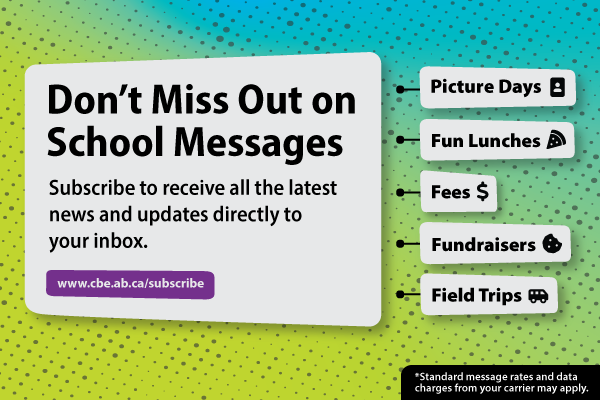
To also receive important commercial messages by email — such as field trips, picture days, fun lunches, and other important activities — parents / legal guardians must subscribe.
Don’t Miss Out On School Messages, Subscribe Today!
Under Canada's Anti-Spam Legislation (CASL), you need to subscribe to get commercial emails on topics like field trips, picture days, fun lunches, or other important activities at your school. To subscribe follow the steps below:
Sign Up Today
Receive commercial electronic messages from your school and the Calgary Board of Education through SchoolMessenger.
- Student Fees
- Picture Days
- Field Trips
- Fun Lunches
- System-Wide Messages
- And more
SchoolMessenger is the CBE’s secure communication tool used to send email, phone and text messages to parents and legal guardians.
✉ Subscribe NowYES to Text!
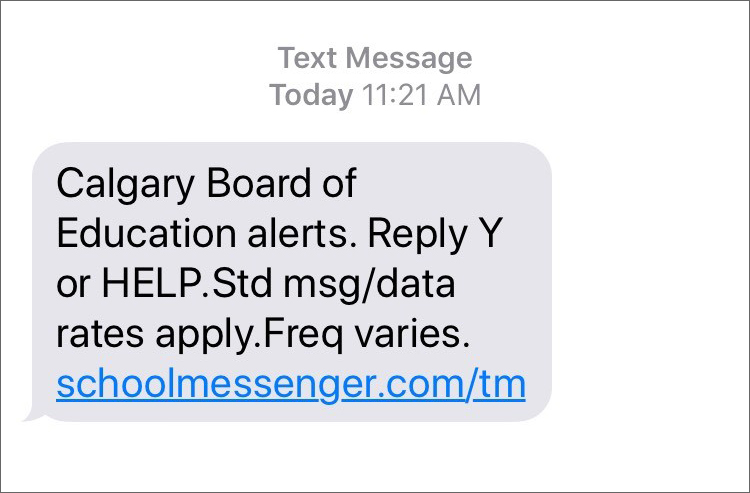
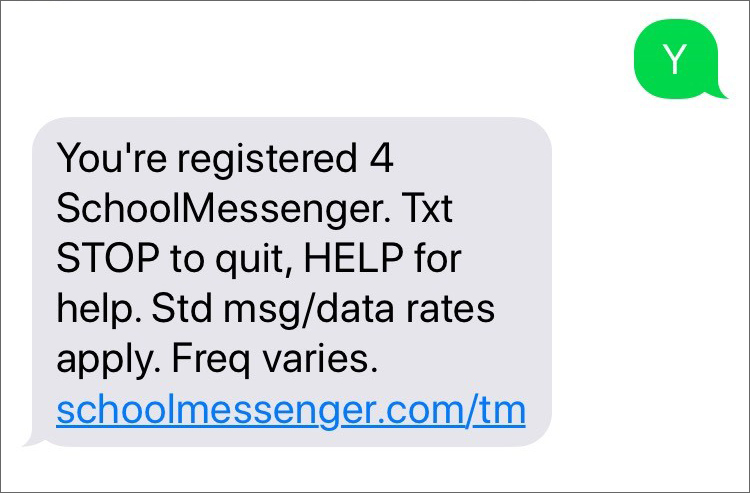
To receive text messages from your school or the Calgary Board of Education, you must opt in.
How to Opt In
On your mobile phone:
* Receiving SMS messages from CBE is free, but your mobile carrier’s standard text and data rates may still apply. Contact your carrier if you’re unsure about your plan or costs.
Opt In For Text Message Notifications
Stay informed with important school updates delivered directly to your mobile device.
Check your spam or junk folder
If messages are going there, mark them as "not spam" or move them to your inbox. It can also help to add the sender (your child's teacher, the school principal, or whoever usually sends the messages) to your address book or safe senders list. You can also add cbecommunications@cbe.ab.ca to ensure that you receive system-wide messages.
If you're not getting messages to your inbox or junk email folders
check your contact information with the school to ensure that it's correct. You can do this by emailing the school office to ask them to check your contact information and to remove any blocks in our system.
Check your blocked senders
If your email address is correct in our files, check your Blocked Senders or Blocked Addresses in your email settings and remove any cbe.ab.ca email addresses.
Commercial messages
If you're recieving some messages but missing others, you may not have subscribed to get commercial messages. Follow the step 2 instructions above to subscribe for commercial messages to ensure that you don't miss out on important information.
Tell Your School
It's important that your information matches what is on file at your school
Email Address Change
Follow step 1 above to subscribe again
Cell Phone Number Change
Follow step 2 above to Opt-in for text messages again
Last modified: 2026-05-22 03:08:32.403101 +0000 UTC